
How to Add Site Domain on IIS วิธี Add Web Site และ Domain บน IIS
Internet Information Services (IIS) Manager หรือ run %SystemRoot%\System32\Inetsrv\Inetmgr.exe from the command line or from Windows Explorer.
คลิกขวาที่ Sites เลือก Add Website..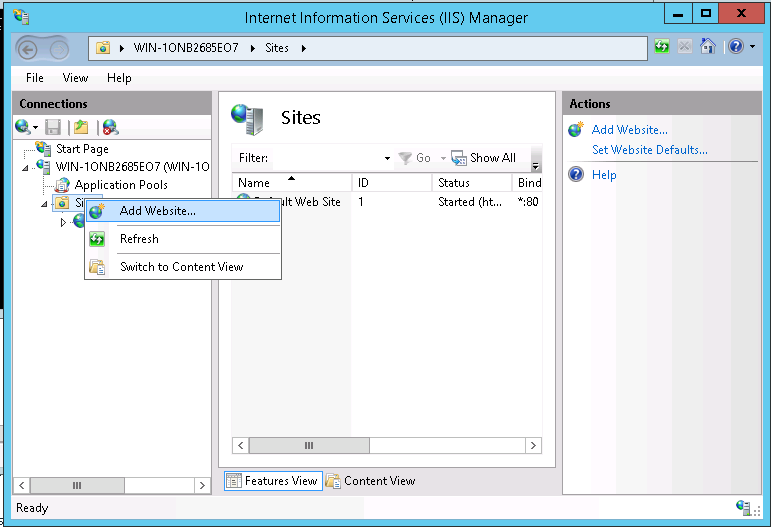
กรอกชื่อ Domain, เลือก path ที่เก็บข้อมูล, กรอก Hostname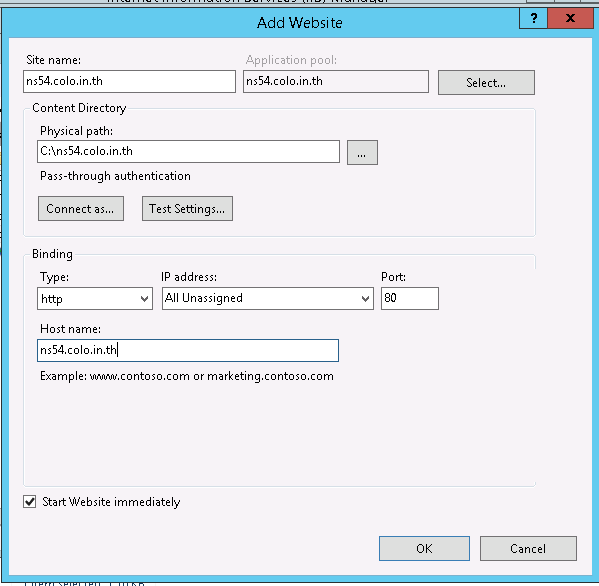
แค่นี้ก็จะสามารถเข้าใช้งานได้เรียบร้อย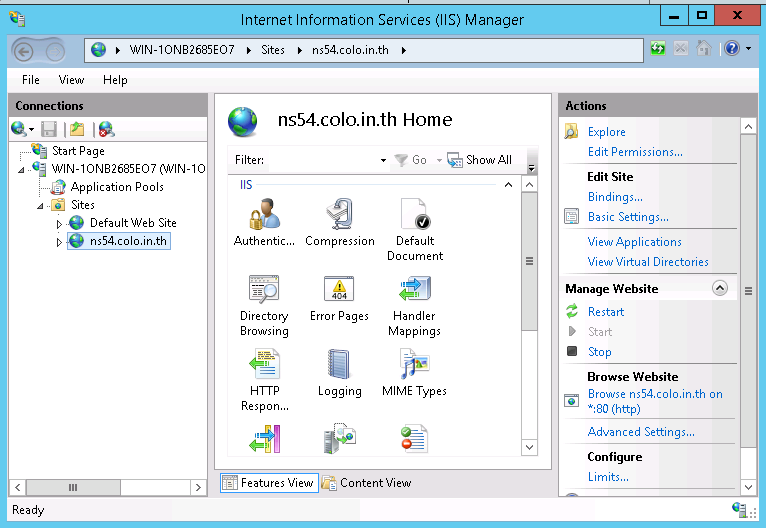
วิธีติดตั้ง SSL Let's Encrypt Certificate บน IIS